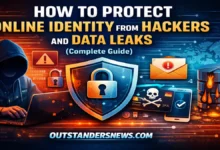
Learn how to protect your online identity from hackers and data leaks with proven security tips, privacy strategies, and expert advice to keep your personal information safe in today’s digital world.

INTRODUCTION
Imagine waking up one morning and realizing your email, social media, or even your bank account has been accessed by someone else. It’s a stressful situation—and unfortunately, it’s becoming more common every day.
As our lives move online, protecting personal information is no longer optional. From shopping to social networking, everything leaves a digital footprint. That’s why online identity protection has become essential for anyone using the internet.
The good news? With the right knowledge and habits, you can significantly reduce your risk and stay in control of your digital presence.
KEY POINTS / OVERVIEW
- Protects sensitive personal and financial information
- Reduces the risk of identity theft and fraud
- Helps maintain privacy across digital platforms
- Builds trust when interacting online
- Prevents unauthorized access to accounts
Why Protecting Your Digital Identity Matters
The Growing Threat Landscape
Cyber threats are evolving quickly. Hackers use phishing emails, fake websites, and data breaches to steal personal details. Even a small mistake—like clicking an unknown link—can expose valuable data.
Moreover, once your identity is compromised, it can be difficult and time-consuming to recover. Financial loss, reputational damage, and emotional stress often follow.
Real-World Consequences
Identity theft isn’t just a technical issue—it affects real lives. For example, criminals may open accounts in your name or misuse your information for illegal activities.
In addition, recovering from such incidents can take weeks or even months. This highlights the importance of staying proactive rather than reactive.
Essential Strategies for Staying Safe Online
Use Strong and Unique Passwords
One of the simplest yet most effective methods is using strong passwords. Avoid common words or predictable combinations.
Instead, create complex passwords with a mix of letters, numbers, and symbols. Also, never reuse passwords across multiple platforms.
Enable Two-Factor Authentication
Two-factor authentication adds an extra layer of security. Even if someone gets your password, they won’t easily access your account without the second verification step.
For example, a code sent to your phone can block unauthorized login attempts.
Keep Software Updated
Outdated software often contains vulnerabilities. Regular updates fix these issues and improve security.
Therefore, always update your devices, apps, and browsers as soon as updates are available.
Smart Habits That Make a Big Difference
Be Careful With Public Wi-Fi
Public Wi-Fi networks are convenient but risky. Hackers can intercept data on unsecured networks.
If you must use public Wi-Fi, avoid accessing sensitive accounts or use a trusted VPN for added protection.
Think Before You Share
Oversharing on social media can expose personal details like your location, birthday, or workplace.
In addition, criminals often use this information to guess passwords or answer security questions.
Monitor Your Accounts Regularly
Checking your accounts frequently helps you spot suspicious activity early.
For instance, unexpected transactions or login alerts can signal a potential issue that needs immediate action.
Tools and Technologies That Enhance Security
Password Managers
Password managers store and generate strong passwords for you. This reduces the risk of using weak or repeated passwords.
Moreover, they save time and make managing multiple accounts easier.
Antivirus and Security Software
Reliable antivirus software protects your devices from malware and cyber threats.
In addition, it can detect suspicious activity and block harmful downloads before they cause damage.
Identity Monitoring Services
These services track your personal information online and alert you if something unusual happens.
For example, they may notify you if your email appears in a data breach, allowing you to act quickly.
Building Long-Term Digital Awareness
Educate Yourself Continuously
Cybersecurity is always changing. Staying informed helps you adapt to new threats.
Reading trusted blogs, following updates, and learning basic security practices can make a big difference.
Practical Ways to Stay Updated
| Method | What It Means | Benefit |
|---|---|---|
| Follow security blogs | Read trusted cybersecurity websites | Stay aware of latest threats |
| Enable alerts | Turn on security notifications | Get instant warnings |
| Watch tutorials | Learn from videos and guides | Understand practical solutions |
| Take short courses | Enroll in basic online security courses | Build strong foundational skills |
| Use security tools | Install antivirus and password managers | Improve daily protection |
Example
For example, if you regularly read cybersecurity blogs, you might learn about a new phishing scam early. This allows you to avoid clicking suspicious emails that others might fall for.
Teach Others Around You
Helping friends and family understand safe online behavior creates a safer digital environment for everyone.
After all, one weak link in a shared network can affect others as well.
How You Can Help Others Stay Safe
| Action | Description | Impact |
|---|---|---|
| Share simple tips | Explain basic safety rules | Raises awareness |
| Help set strong passwords | Assist in creating secure passwords | Reduces hacking risk |
| Enable 2FA for them | Turn on extra security layers | Adds strong protection |
| Warn about scams | Inform them about fake messages/emails | Prevents fraud |
| Guide elderly users | Help less tech-savvy people | Builds a safer network |
Example
For instance, if you help a family member enable two-factor authentication on their email, even if their password gets leaked, hackers won’t be able to access their account easily.
FAQs
Q1: What is online identity protection?
A1: It refers to the methods and tools used to safeguard personal information and prevent unauthorized access or identity theft online.
Q2: Why is protecting my identity online important?
A2: It helps prevent financial fraud, data breaches, and misuse of personal information, ensuring your digital safety.
Q3: How can I check if my data has been compromised?
A3: You can use online tools or monitoring services that alert you if your email or personal data appears in breaches.
Q4: Are password managers safe to use?
A4: Yes, reputable password managers use strong encryption and are generally safer than remembering weak passwords.
Q5: What should I do if my account is hacked?
A5: Immediately change your passwords, enable two-factor authentication, and contact the platform’s support team for assistance.
CONCLUSION
Staying safe online doesn’t require advanced technical skills—it simply requires awareness and consistent habits. From using strong passwords to being cautious with shared information, small actions can have a big impact.
By prioritizing online identity protection, you’re not just securing your data—you’re protecting your peace of mind.
Start applying these tips now and take control of your digital safety today.
YOU MAY ALSO READ

Rehan Vox is a digital news writer specializing in technology, business, gaming, and global news updates. He focuses on delivering clear, accurate, and timely information across fast-moving digital industries.
He regularly covers breaking tech developments, gaming trends, and business insights, helping readers stay informed with easy-to-understand reporting.
Expertise: Digital Trends, Crypto Insights, Online Business, Gaming Updates
Categories: Tech, Business, Games, News
Experience: 3+ years in digital content and news publishing
Updated: April 2026